● 01
Transcribe
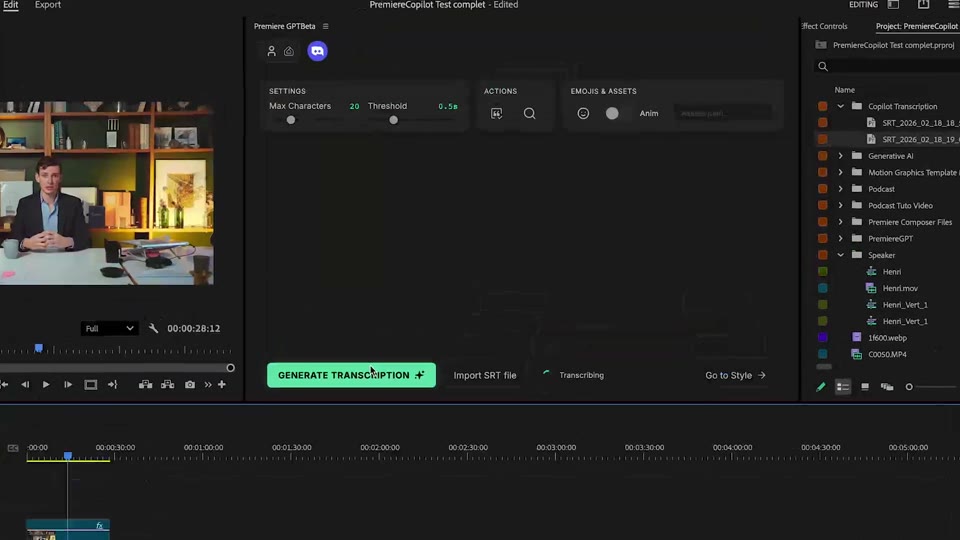
Generate transcription.
Auto-detect any of 99 languages, or import your own SRT. Edit words, fix punctuation, drop in animated emojis , all in a fast in-plugin editor.
 The native AI plugin for DaVinci Resolve·2022 +
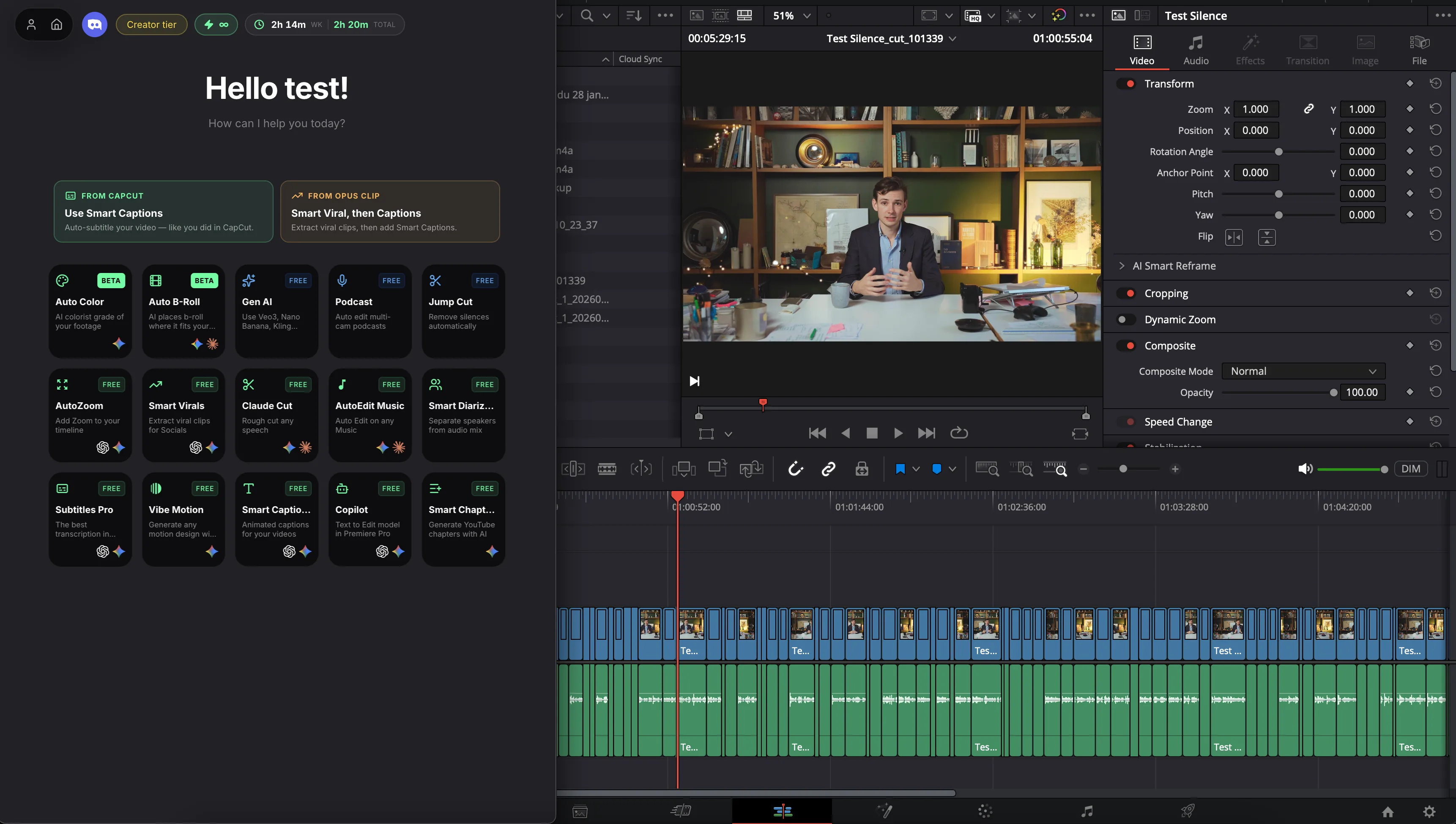
Smart Captions is an DaVinci Resolve plugin that generates word-by-word animated captions as native, editable DaVinci Resolve title clips — 99 languages, 99.5% accuracy, custom fonts and animated emojis. Free.
99 languages, 99.5% accuracy, your fonts, animated emojis, fully editable native titles. Free. Not a video export — real DaVinci Resolve titles on your timeline.
The 3-year math
Submagic, Captions.ai, VEED , they all keep charging you, then re-export your video into a new file. DavinciClaude is free, runs inside DaVinci Resolve, and writes captions as native title clips you can edit.
 DavinciClaudefreeDavinciClaude Pro+$7.99/mo
How it works
Transcribe
Auto-detect any of 99 languages, or import your own SRT. Edit words, fix punctuation, drop in animated emojis , all in a fast in-plugin editor.
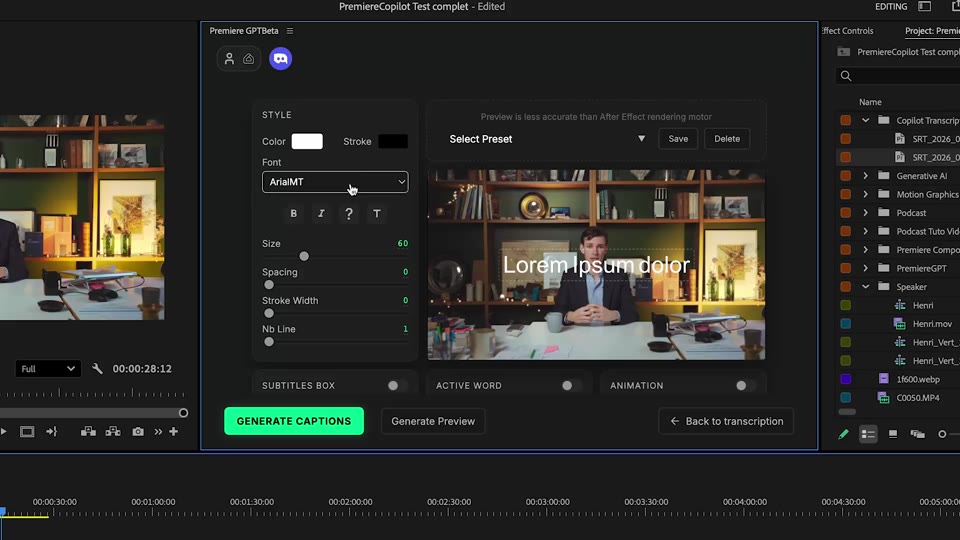
Design
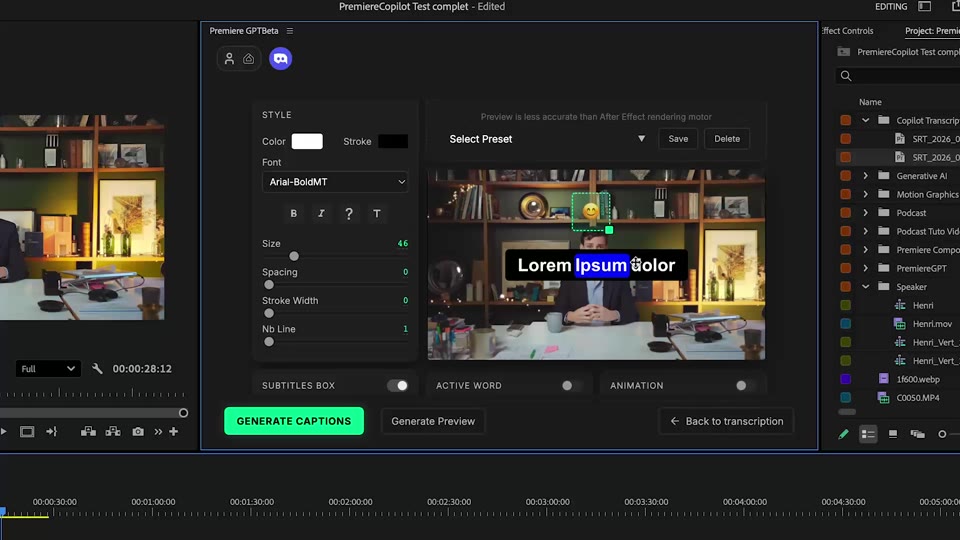
Word-by-word, your fonts, your colors. 1, 2, or 3-line layouts with active-word emphasis. Save as a preset, reload it on the next project in one click.
Generate
Each caption lands as a PNG clip on your timeline, one per phrase. The advantage: you can drag any clip to retime it, extend its duration, delete unwanted ones, or re-render only the captions you tweaked. Native DaVinci Resolve editing, no re-export of your video.
What ships
Languages supported, with auto-detect.
Unlimited words on the free tier's daily quota. No re-export, no watermark.
Transcription accuracy. 99.5% out of 1000 words, no fix-up needed.
Each caption is a PNG clip on your timeline. Drag to retime, extend the duration, delete unwanted ones, re-render only the captions you tweak.
Captions land as native title clips.
Native & non-destructive
Stack the rest
Plain-English prompts that edit your real timeline.
Learn moreMotion design generated from a single prompt.
Learn moreAny GenAI model, native in DaVinci Resolve. By Fal.AI.
Learn moreActive speaker detection, multicam autocut.
Learn moreAuto-detect silences and tighten the edit.
Learn moreRemoves bad takes & repetitions, follows your script.
Learn moreTurn 1h of content into 10 vertical viral clips.
Learn more0 spelling mistakes. Claude corrected, native subtitles.
Learn moreAnimated MoGRT chapters from a single prompt.
Learn more1 audio → speaker-by-speaker tracks.
Learn moreEmotion-driven V2 zoom clips, generated.
Learn more
FAQ
No. Captions land as native PNG clips on your timeline, one per phrase. You can drag any clip to retime it, extend its duration, delete the ones you don't want, or re-render only the captions you tweaked. The rest of your video stays untouched.
99 languages out of the box, with 99.5% accuracy. Auto-detect on your audio, or set the language manually. You can also bring your own SRT file if you've already transcribed.
Yes. Pick any font installed in DaVinci Resolve. Save your full caption design as a preset and reuse it on the next project in one click.
Yes. Smart Captions inserts animated emojis based on the spoken content, sized and timed to match the active word.
Submagic and Captions.ai are external apps that re-export your video. Smart Captions runs inside DaVinci Resolve, generates native PNG clips per phrase, doesn't re-render your footage, and is free with a generous daily quota.
DaVinci Resolve 2022 and later, on macOS (Intel + Apple Silicon) and Windows.