


























Chapters
One chapter per topic.
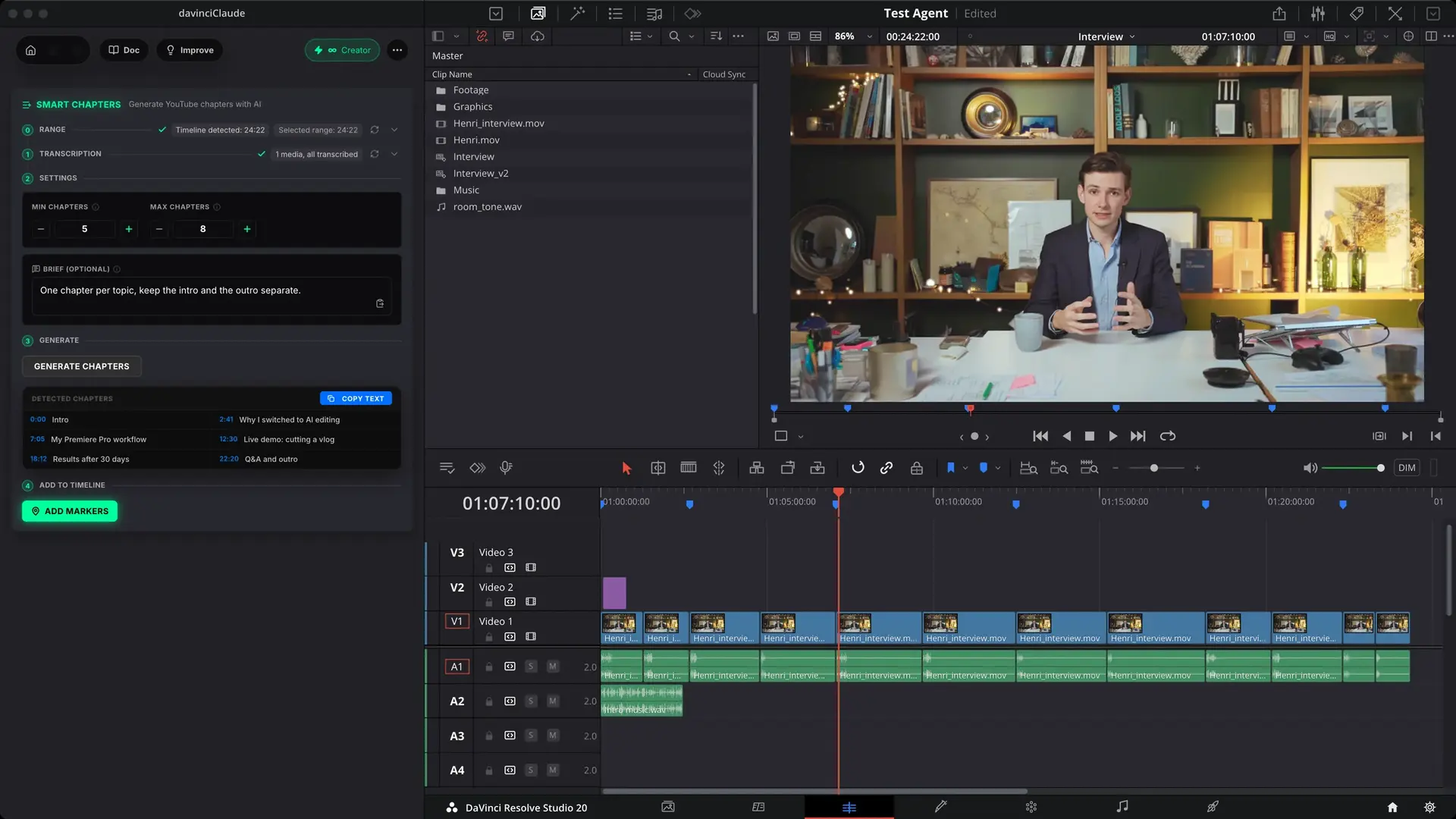
The AI reads the whole interview and places each boundary where the topic changes.
 The native AI plugin for DaVinci Resolve·18 +
Auto Chapters generates YouTube-style chapter markers from speech inside DaVinci Resolve, plus a timestamped description ready to paste on YouTube. 99 languages. Free.
Studios, newsrooms, brands and universities: their video teams edit faster with DavinciClaude.
Prompt
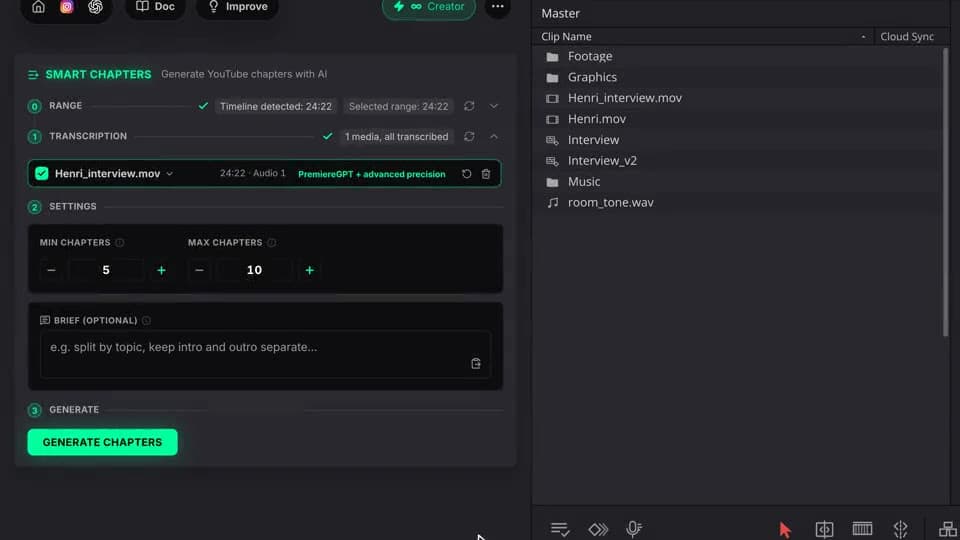
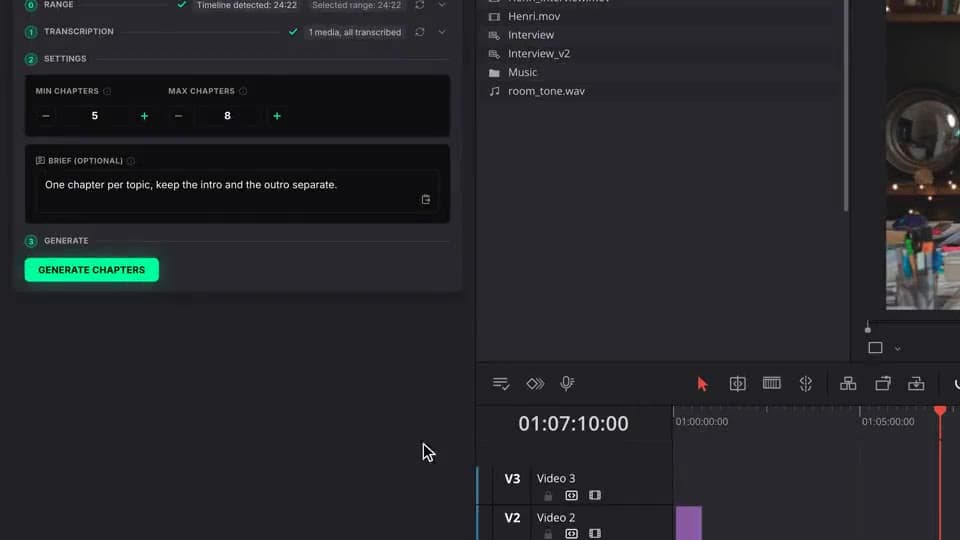
Tell DavinciClaude what the video is about and how many chapters you want (up to 40). Add a focus angle if you have one ('keep one chapter per topic shift', 'group setup steps together').
Analyze
Audio transcribed, topic shifts identified, chapter boundaries proposed. Review the proposal in the editor: rename, merge, drop, before generating.
Export
Chapters land as native DaVinci Resolve markers, visible on your timeline, exported with the video. The same chapters are also formatted as a YouTube-ready description (timestamps + titles) and copied to your clipboard. Paste straight into the YouTube upload form.
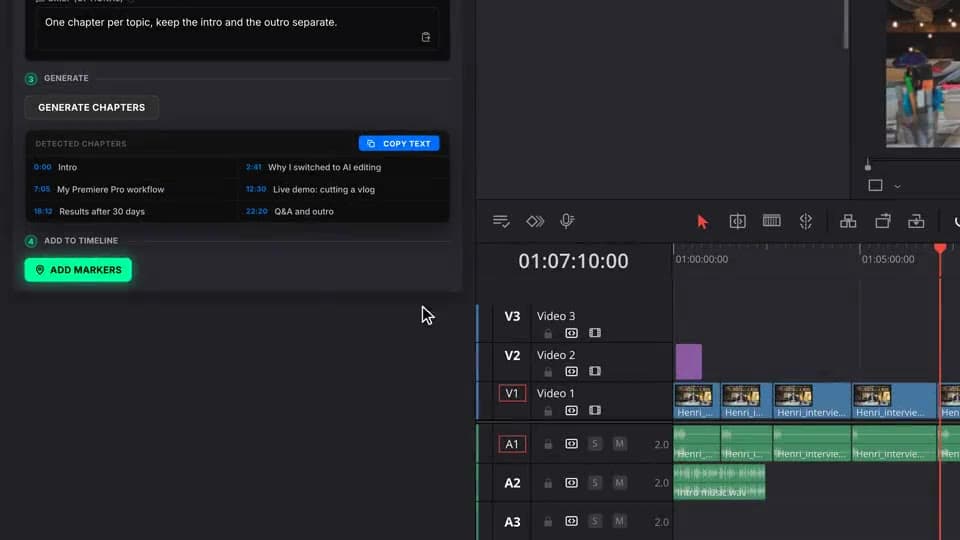
The AI reads the whole interview and places each boundary where the topic changes.
Timestamps and titles are copied in YouTube format. Chapters show up in the player.
Media already transcribed for another tool is not transcribed again.
Each chapter lands as a named DaVinci Resolve marker. Move, rename or delete it like any other.
From 1 to 50 chapters: set a minimum, a maximum and a one-line brief, or let the AI decide.
Share your code: they get 10% off, you earn 30% of everything they pay for 12 months. No minimum, free for every account.
Ask in the chat, the plugin runs the tools on your real timeline.
Learn moreMotion design generated from a single prompt.
Learn moreAny GenAI model, native in DaVinci Resolve. By Fal.AI.
Learn moreWord-by-word, animated captions in 99 languages.
Learn moreActive speaker detection, multicam autocut.
Learn moreAuto-detect silences and tighten the edit.
Learn moreRemoves bad takes & repetitions, follows your script.
Learn moreSentence-by-sentence scoring, editable 9:16 reels.
Learn moreAccurate transcription, every word editable, native subtitles.
Learn more1 audio → speaker-by-speaker tracks.
Learn moreEmotion-driven V2 zoom clips, generated.
Learn moreAI sound effects, placed on your timeline.
Learn moreSwear words bleeped on the voice, in context.
Learn moreSpell check every text on your timeline.
Learn moreAI kinetic text, from your own words.
Learn moreSafe zone guides for every feed.
Learn moreEvery short, exported in 1 click.
Learn moreAny emoji, placed on your timeline.
Learn moreAI color grading with film looks, matched shot to shot.
Learn moreBeat markers, placed on your music.
Learn moreYour b-roll, placed where it fits.
Learn moreYour clipboard, on the timeline.
Learn moreNew files, imported on their own.
Learn more
One named marker per chapter, plus a list of timestamps and titles you copy in one click for your YouTube description. Nothing else in your edit changes.
Yes. Paste the copied list into your video description: YouTube turns the timestamps into chapters in the player. The first chapter always starts at 0:00.
AI reads the transcribed audio and finds where the topic changes. A one-line brief steers it, and you can move or rename any marker afterwards.
Yes. The markers are regular DaVinci Resolve markers: move, rename or delete them. You can also edit the copied list before pasting it.
Type a brief, click Generate Chapters, and the markers are on your timeline. Usually under 2 minutes for a 30-minute video, and media already transcribed is not transcribed again.
DaVinci Resolve 18 and later, on macOS (Intel + Apple Silicon) and Windows.
Free for DaVinci Resolve 18 and above. macOS · Windows. The installer takes 30 seconds.